
Please note: The screenshots and examples below are for general guidance only. Booking options, fees, locations, and appointment details may change over time.
Please refer to the online booking system for current services, availability and pricing
Step 1 – Select a service
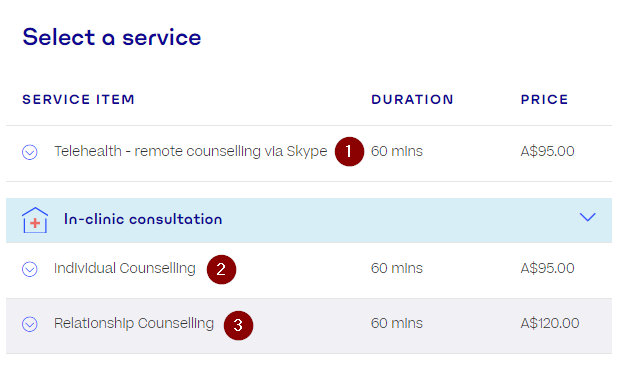
We offer online counselling services. Please select the appointment type that best suits your needs in the booking system. Click on the type of counselling you are after.
Step 2 – Select an appointment time
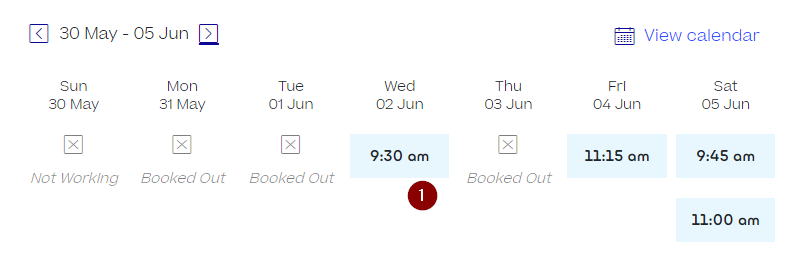
Click on the date and time you would like to book. Use the arrows near the date to view appointments in other weeks.
Please refer to the online booking system for current availability.
Step 3 – Fill in your details
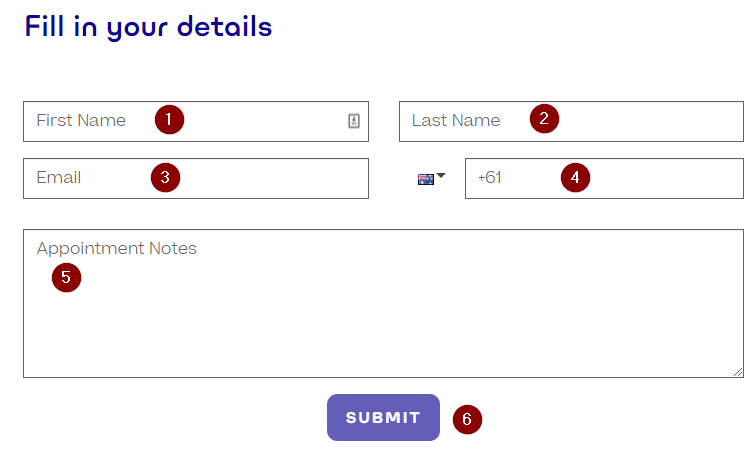
Fill in your details.
- First Name
- Last name
- Email – this will be used to send appointment confirmations
- Mobile phone – this will be used to verify your identity via sms in the next step
- Notes – Anything else you want to tell us about yourself
These details will be sent to the counsellor your are making an appointment with.
Step 4 – Verify your details
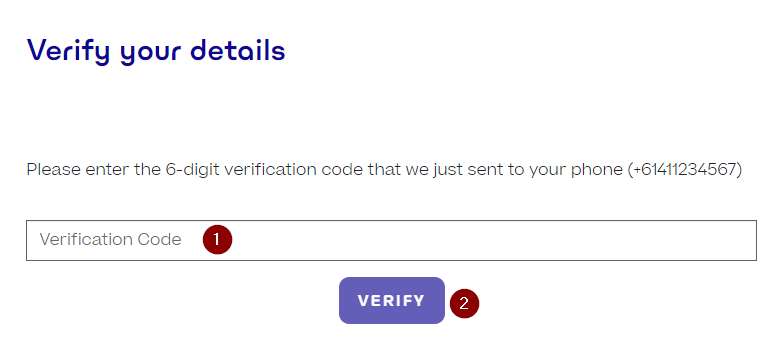
The mobile phone number you used in your registration (Step 3) will receive a 6-digit code. Enter this code in the “Verification Code” box and click the verify button.
Hello from Halaxy. Your Booking code is [6 digit code]. Please enter this on your booking screen
SMS message
Step 5 – Payment Details
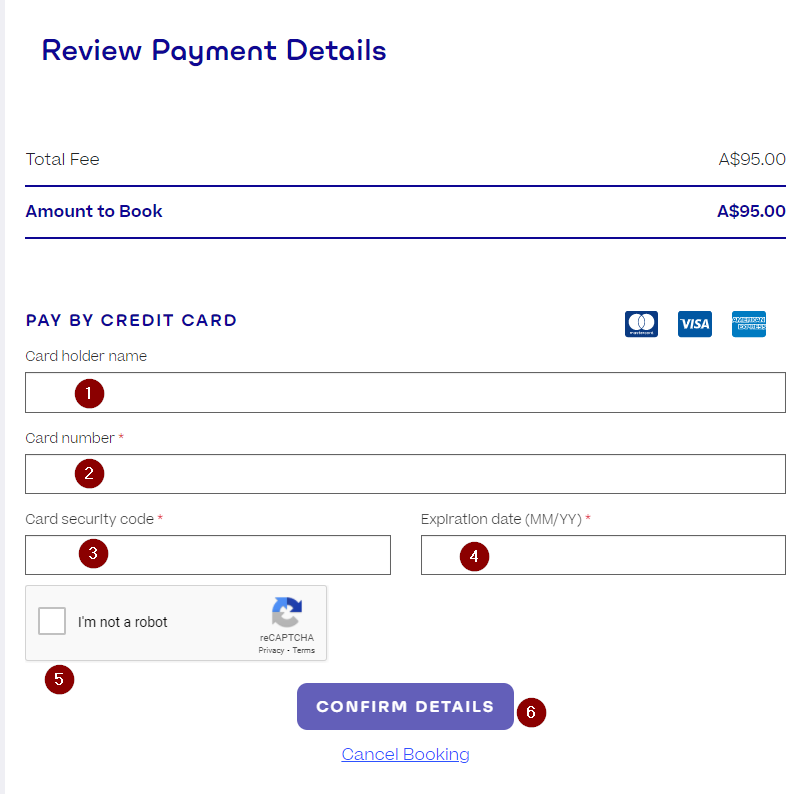
Payment is required at the time of booking and is processed securely through our online booking system provided by Halaxy.
As outlined in our cancellation policy, cancellations made with more than 24 hours’ notice will receive a refund, less a $15 processing fee
- Credit card name
- Card Number
- CVV security code
- Expiry Date
- Click to confirm you aren’t a bot
- Click the “Confirm Details” button to submit
Step 6 – Appointment confirmation
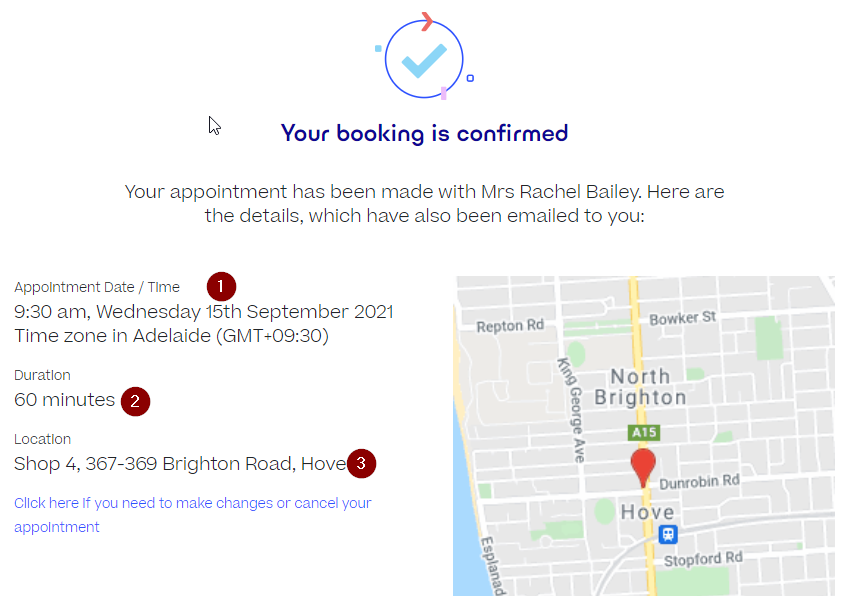
Congratulations, your booking is confirmed.
- Confirm your appointment date and time
- Check your appointment duration
If you scroll down, you can download the appointment details directly to your calendar.
You will also receive a confirmation email with your appointment details and a link to the patient registration form.
Your counsellor will be in contact shortly to confirm your prefence for video or telephone and to provide the session link
Step 7 – Your Appointment
You will receive a reminder SMS message 24 hours before your appointment, along with an email link to the patient registration form.
All appointments are delivered online. Your counsellor will contact you before your session to confirm your preferred method (video or telephone) and provide the session link.
To prepare for your appointment, please ensure you have:
- a stable internet connection
- a device with a camera and microphone (for video sessions)
- headphones or speakers for clear audio
- a quiet, private space where you feel comfortable
Please log in a few minutes early to check your setup. Your counsellor will join you at your scheduled appointment time.
Please ensure you have completed the registration form before your appointment and that your technology is set up and ready at the scheduled time.
Cancelling / Rescheduling: If you need to cancel or reschedule your appointment, please do so in line with our cancellation policy. Appointments cancelled or rescheduled with less than 24 hours’ notice will incur the full session fee